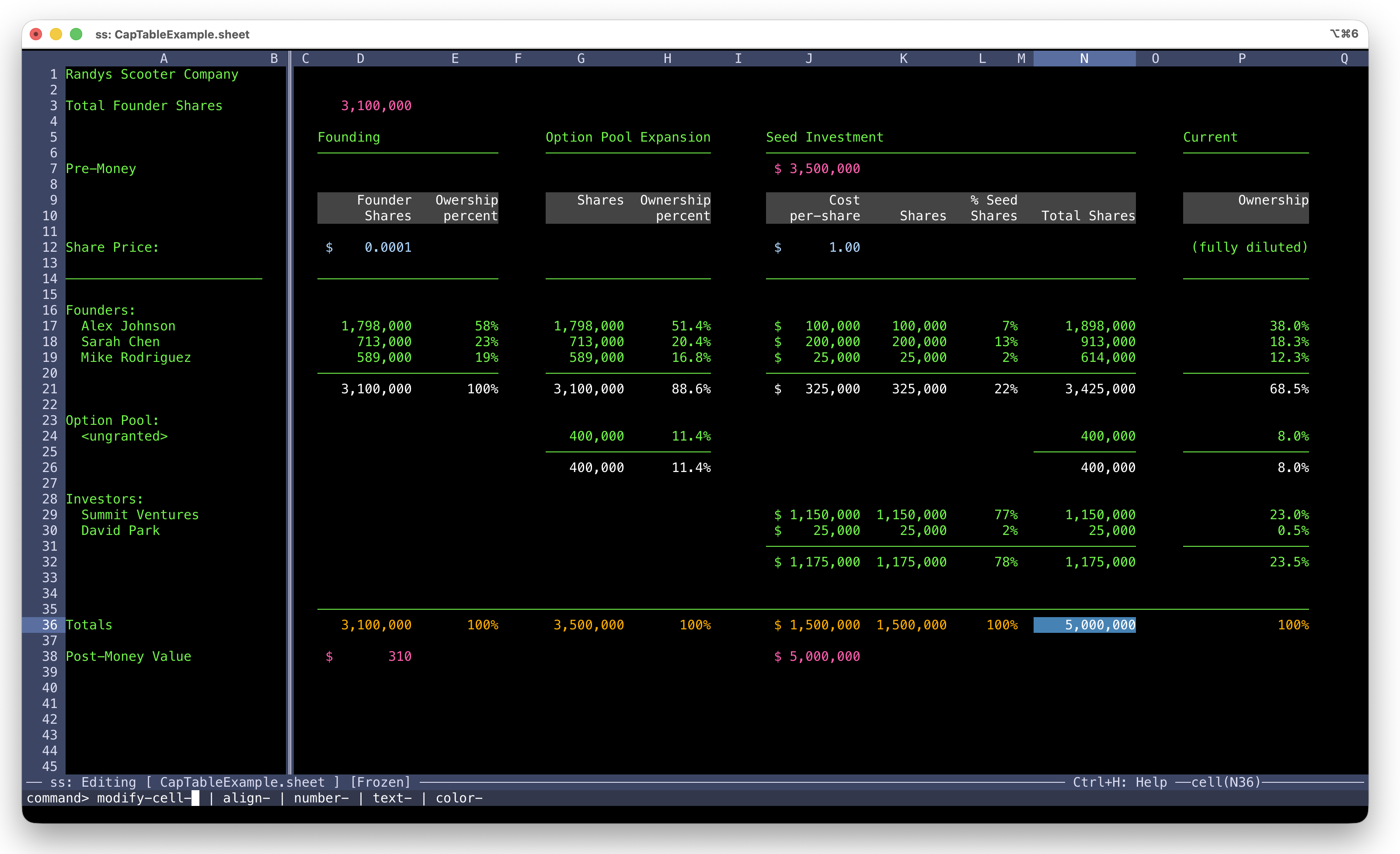
Formulas, freeze panes, formatting, and fill — with full mouse support, at terminal speed. Click cells, drag to select ranges, scroll with the wheel, or stay on the keyboard. No startup lag, no Electron, no waiting for anything to load. Saves as JSON you can git diff. Runs over SSH. Download a binary or build from source with zero dependencies.
macOS users: Do not run ss directly until you run bash install.sh from the extracted archive. The installer clears the macOS Gatekeeper restriction automatically.
Spreadsheets save as readable JSON. Commit them, diff them, review them in PRs. No opaque binary blobs in your repo.
Need a spreadsheet on a remote box? Just run it. No X forwarding, no port tunnels, no "let me download that file first."
Click cells, drag to select ranges, scroll with the wheel. Use menus and dialogs with the mouse — or ignore it entirely and stay on the keyboard. Your choice.
No Boost. No CMake. No package manager. Built on the cx portable C++ library. Compiles in seconds, or just download the binary.
Features
Not a CSV viewer. Not a toy. The things you reach for Excel to do — formulas, formatting, references, fill — except it launches instantly and runs anywhere a terminal does.
Full mouse support in the terminal. Click to navigate cells, drag to select ranges, scroll with the wheel. Use menus and commands with the mouse — or stay on the keyboard. Every action works both ways.
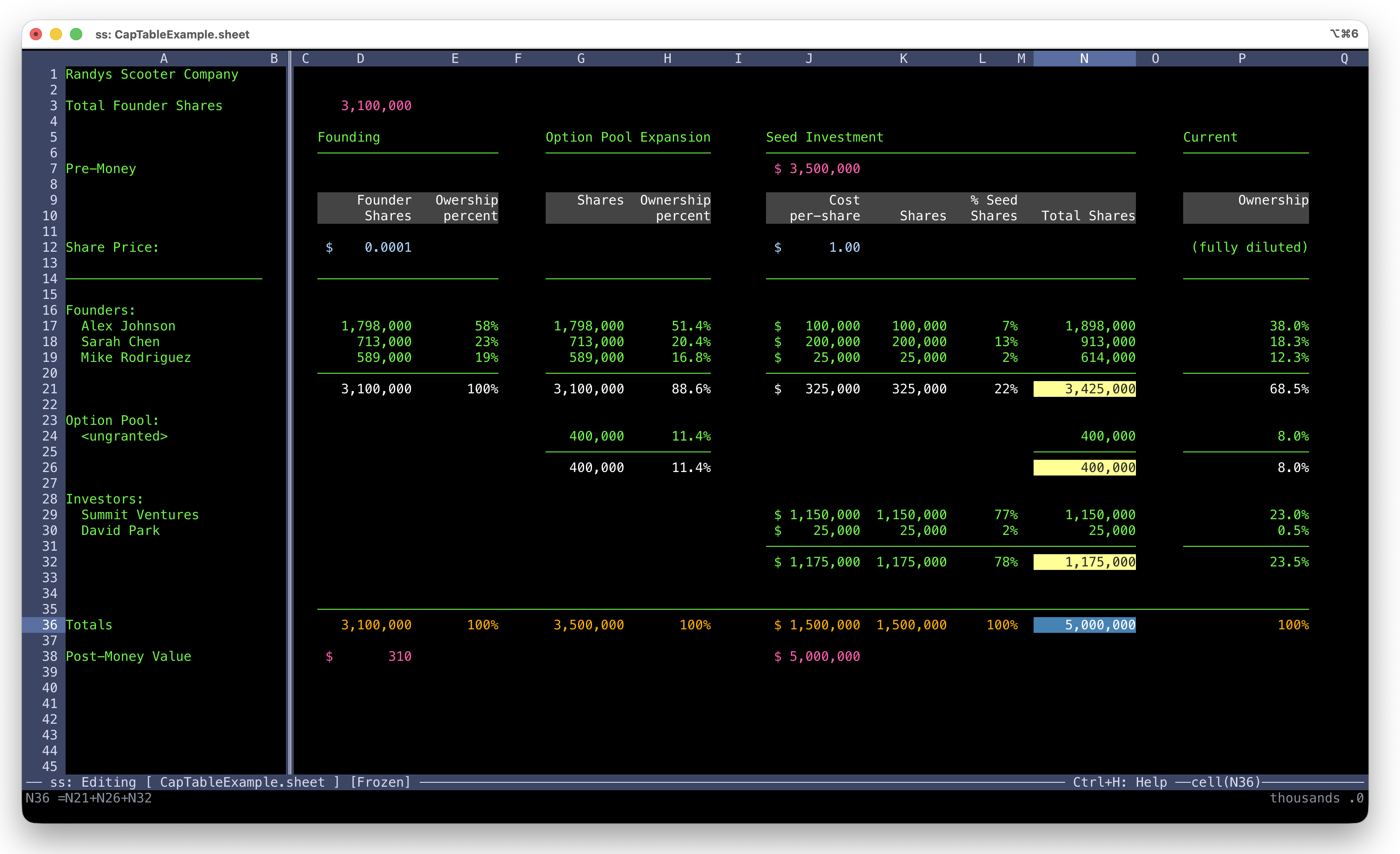
SUM, ranges, absolute and mixed references — the formula basics engineers actually need. References auto-adjust on paste, so copying a row of calculations just works.
Pin header rows and label columns so they stay visible while you scroll through data. Essential when your sheet has more rows than your terminal.
Currency, percentages, decimal precision, thousands separators, dates. Cycle through formats with Ctrl+N — no dialog boxes, no hunting through menus.
Per-cell and per-column foreground and background colors. Alignment control. Column defaults cascade so new data inherits formatting. Makes cap tables and dashboards readable.
Copy, cut, paste with smart reference adjustment. Fill down and fill right to replicate a formula across a range — the same workflow you already know from Excel.
Insert and delete rows and columns. Hide and show them. Auto-fit column widths. UTF-8 box drawing characters let you create clean visual dividers right in the grid.
Press TAB or Up/Down arrow while writing a formula to visually navigate the grid and select cell references. Arrow keys move cell-to-cell with the reference updating live in your formula. Shift+Arrow to select a range. ENTER locks the selection and auto-closes the parenthesis for ranges. It's the fastest way to build formulas without memorizing cell addresses.
How It Works
The first character you type determines the mode. Press ESC for commands that autocomplete as you go.
No insert mode, no prefix keys. Navigate to a cell, type, and ss infers what you mean from the first character.
Press ESC and a command prompt appears. Type one letter and the shared prefix auto-fills. Type one more and the unique match executes. No memorization — you explore a tree, two keystrokes at a time.
All commands follow a consistent category-action pattern. Learn the categories and you can find anything without a manual.
Click through each step. The completer auto-fills shared prefixes as you type — and executes the moment there's a unique match. No TAB. No ENTER.
ESC, f, s — that's it. The shared prefix auto-fills, the unique match auto-executes. Every command works this way.
Type = to start a formula, then press TAB or Up/Down arrow to visually navigate and select cell references. The formula updates live as you move. Shift+Arrow to select a range, ENTER to lock it in. Ranges auto-insert a closing parenthesis.
References inserted via cell hunt use absolute addressing by default. Paste adjusts relative references automatically.
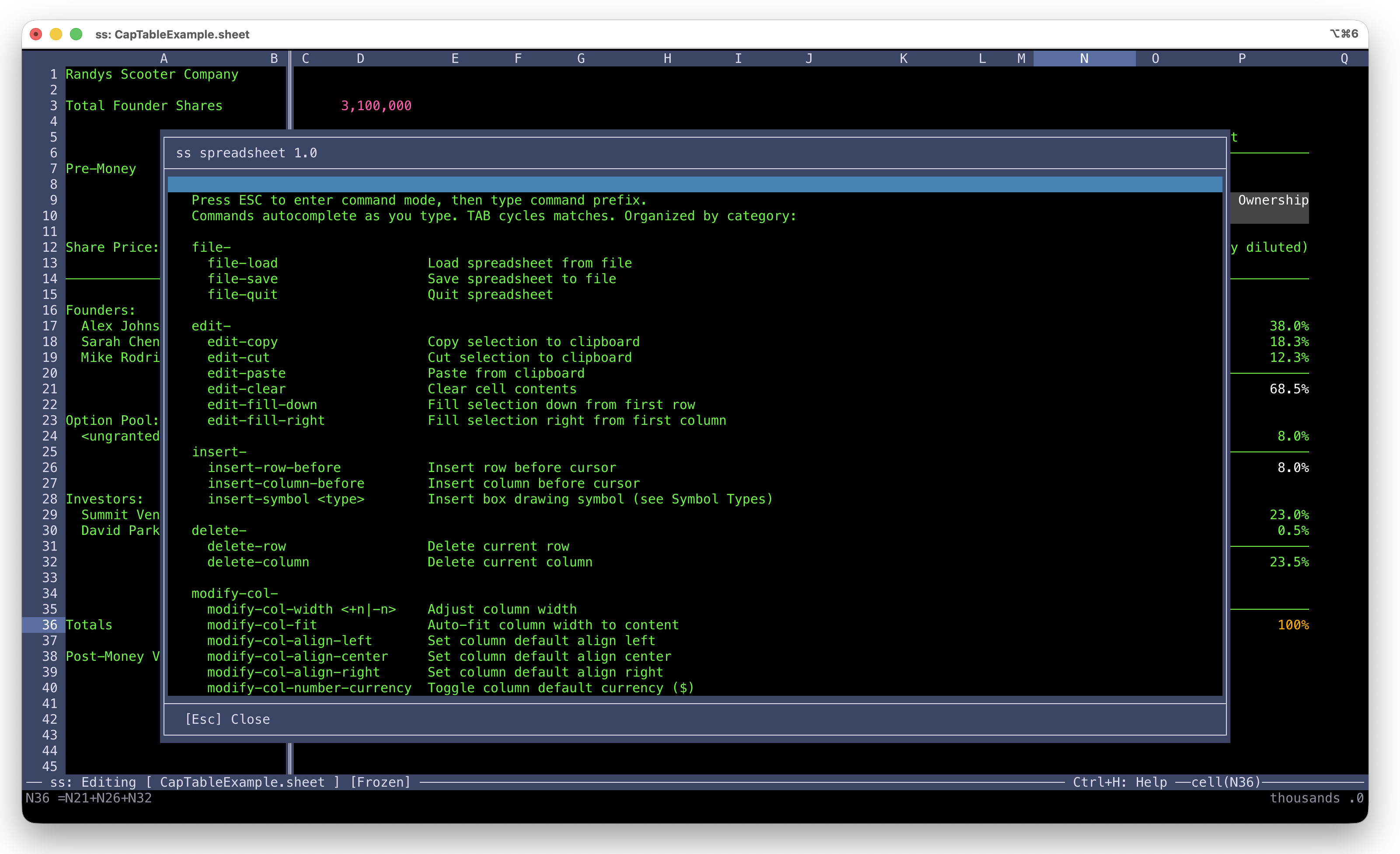
Press Ctrl+H to open an in-app help overlay listing every command by category. No man pages, no browser tabs, no leaving the spreadsheet.
Consistent prefix patterns — file-, edit-, modify-, view- — mean once you've used one command, the rest are intuitive.
Keyboard
Use the mouse when it's natural, keyboard when it's fast. Everything works both ways. If you're comfortable in vim or emacs, you'll feel at home.
Get Started
Grab the binary and go. Or clone the repo, build it yourself, and make it your own.
macOS users: Do not run ss directly until you run bash install.sh from the extracted archive. The installer clears the macOS Gatekeeper restriction automatically.